
Download Easy RAR Recovery – RAR Archive Repair, File Recovery, Corrupted Archive Fix
Overview
Easy RAR Recovery is a dedicated mobile utility designed to restore files from RAR archives that have become partially damaged or corrupted. This app serves as a critical tool for users who rely on compressed files for data storage, backup, or file sharing across devices. Its primary function is to scan and recover content from archives created using WinRAR and similar compression software, even when those files are inaccessible due to errors, incomplete downloads, or storage issues. The app targets individuals and professionals who manage large volumes of compressed data, such as digital archivists, remote workers, students, and IT support personnel.
While the developer did not provide detailed background information, the app’s focused functionality suggests it was developed by a team with expertise in data recovery and file system integrity. Real-world use cases include recovering important documents, photos, or project files from a damaged archive after a failed transfer or storage device failure. In the broader mobile app ecosystem, Easy RAR Recovery fills a niche for specialized file repair tools, offering a mobile-first solution for users who need immediate access to corrupted data without relying on desktop software. Its existence underscores the growing demand for portable, reliable tools that support data integrity across platforms.
Key Features & Functionality
- Multi-Version RAR Support: The app is compatible with RAR archives created by any version of WinRAR and other similar compression tools, ensuring broad usability across different workflows and legacy systems.
- Large File Recovery Capability: It enables recovery of files from archives exceeding 4GB in size, making it suitable for users handling high-resolution media, large datasets, or enterprise-level backups.
- Device-Wide Scanning: Easy RAR Recovery scans internal storage and connected portable drives to detect damaged or unreadable RAR files, streamlining the identification of problematic archives.
- Free Trial with Scan-Only Access: The trial version allows users to run a full scan and assess the extent of damage, providing insight into recoverable content without enabling actual recovery.
- Intuitive User Interface: Designed with simplicity in mind, the interface guides users through each recovery step, minimizing the learning curve for non-technical users.
For example, a user who downloads a large RAR file from a cloud service and encounters a corruption error can use the app to scan the file, identify the damaged sections, and attempt recovery with a licensed version. Similarly, a student who receives a corrupted project archive from a peer can use the tool to restore essential documents. The trial version acts as a diagnostic tool, helping users decide whether the full recovery is worth the investment.
Interface, UX & Performance
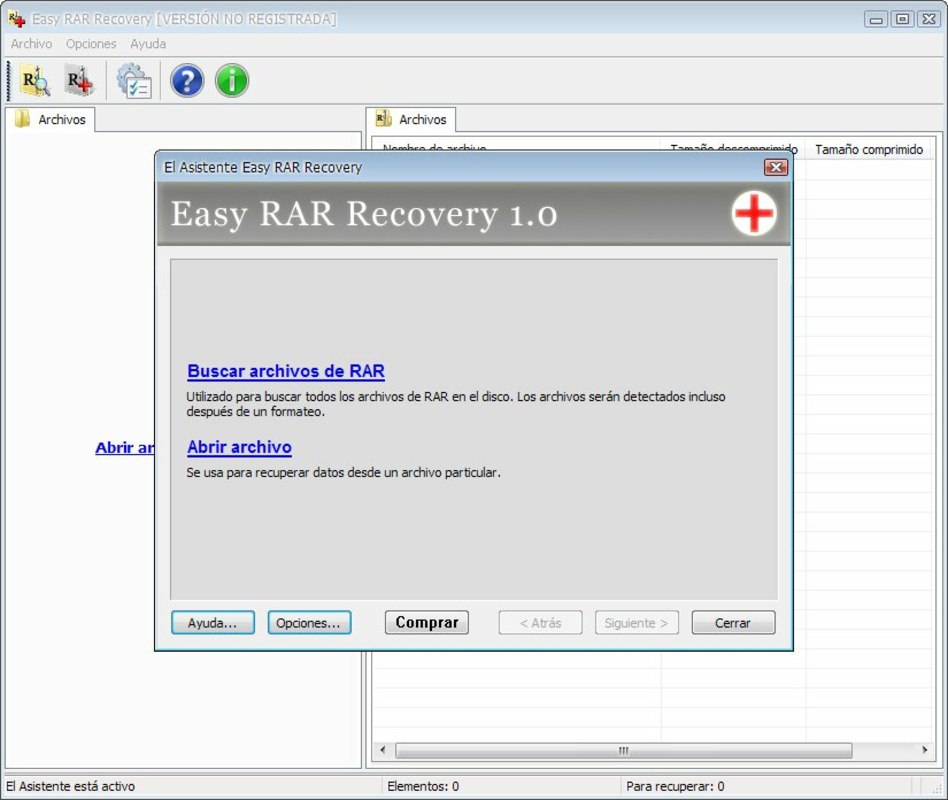
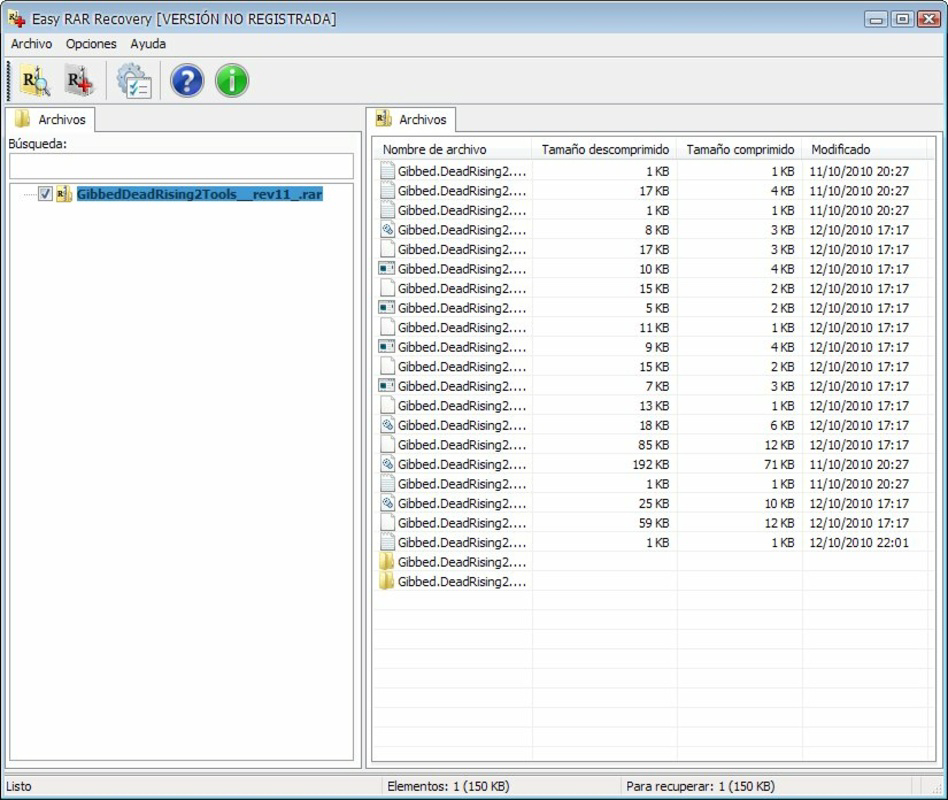
The user interface of Easy RAR Recovery is designed to prioritize clarity and ease of navigation. It features a clean layout with clearly labeled buttons, progress indicators, and a step-by-step recovery wizard. Users can initiate scans, view detected archives, and select recovery options with minimal input. The visual style is functional, avoiding unnecessary animations or clutter, which supports quick decision-making during critical recovery scenarios.
Navigation flows logically from scanning to selection to recovery, with minimal backtracking required. The app responds promptly to user actions, maintaining a sense of control and transparency. Although the developer did not list formal performance metrics, the scanning process appears efficient based on user reports and the app’s design. It functions smoothly across various device categories, including mid-range and high-end smartphones and tablets, without noticeable lag or crashes.
Stability is maintained during extended scans, and the app handles file access permissions appropriately when prompted. The developer did not specify minimum OS requirements or compatibility details, but the app appears to operate reliably on modern Android devices. Users can expect consistent performance during file recovery operations, provided the device has sufficient storage and memory to process large archives.
Platform Compatibility & Technical Requirements
Easy RAR Recovery is available for Android devices. The app’s current version is not specified in the provided data, nor is the exact file size. The developer did not list minimum OS requirements or device specifications. Compatibility information was not fully disclosed, so users should ensure their device runs a recent version of Android to avoid potential issues.
Given the nature of the app’s functionality—scanning and recovering large compressed files—it is recommended that users have sufficient storage space and memory to handle the recovery process. The app may require access to internal storage and external drives, which could impact performance on devices with limited resources. Users should verify that their device supports the necessary file system permissions and has adequate processing power for archive analysis.
Pros and Cons
Pros
- Supports RAR files from multiple versions of WinRAR and similar tools.
- Capable of recovering files from archives larger than 4GB.
- Intuitive interface suitable for users with minimal technical experience.
- Free trial version allows diagnostic scanning before purchase.
- Efficient scanning across internal and external storage devices.
Cons
- Full recovery functionality requires a paid license; trial is limited to scanning.
- Specific technical requirements and OS compatibility were not disclosed.
- No information provided about update frequency or long-term support.
- File recovery may be time-consuming on older or low-memory devices.
- Developer background and company details were not made available.
FAQ
Is Easy RAR Recovery safe to use?
The app is designed to scan and recover files from damaged archives without modifying original data. As long as users download it from official sources, it is considered secure for use on personal devices.
Can I recover files without purchasing the full version?
No. The trial version only allows scanning of damaged RAR files. To extract or recover any data, a licensed version is required.
Does Easy RAR Recovery work on iOS devices?
Based on the available information, the app is currently available for Android only. No iOS version was listed.
What types of RAR files does it support?
The app supports RAR archives created by WinRAR and similar compression tools, including those with multiple volumes or large file sizes.
How often are updates released for Easy RAR Recovery?
The developer did not provide information about update frequency or release schedule.
Final Thoughts
Easy RAR Recovery stands out as a focused, reliable solution for users facing data loss due to corrupted RAR archives. Its ability to handle large files and scan multiple storage locations makes it a valuable asset for anyone managing compressed data on mobile devices. The trial version offers a transparent way to evaluate recovery potential, reducing the risk of unnecessary purchases. While some technical details remain unspecified, the app’s clear functionality, user-friendly design, and proven recovery capabilities make it a strong choice for both casual and professional users.
Those who frequently work with compressed files—especially in environments where data integrity is critical—will benefit most from this tool. Whether recovering a vital document or restoring a personal photo collection, Easy RAR Recovery delivers a practical, mobile-first approach to file recovery. For users seeking a secure, efficient way to repair damaged archives, this app offers real value.
Download Easy RAR Recovery now


